HEIC and HEIF Input
Accepts HEIC/HEIF photos directly, then converts them into ICO outputs.
HEIC to ICO
This page is dedicated to one workflow: HEIC to ICO conversion in the browser with predictable output sizes and private local processing.
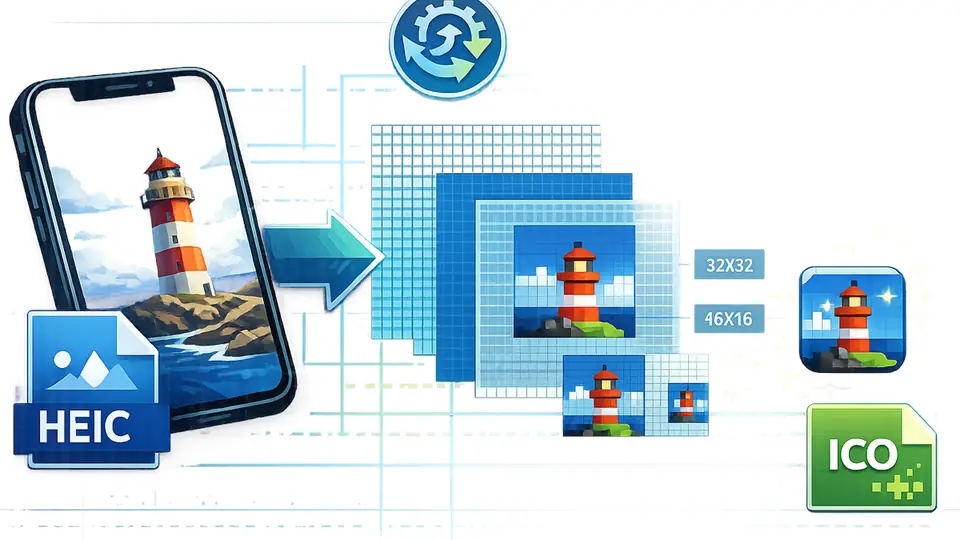
Accepts HEIC/HEIF photos directly, then converts them into ICO outputs.
Generate common favicon and application icon sizes from one HEIC image.
Decode and convert HEIC to ICO locally without sending files to a server.
Crop or adjust the HEIC before creating the final ICO output.
Convert HEIC to ICO without registration.
HEIC decoding and conversion happens locally.
Crop and adjust the source before conversion.
Generate several ICO sizes from one HEIC.
HEIC to ICO is the workflow that converts HEIC or HEIF source images into a standardized ICO icon file for use in website favicons, Windows shell icons, and desktop utility shortcuts. Because HEIC is efficient and widely used on modern mobile photo pipelines, users often start from HEIC when converting to an icon. This page stays on one keyword only and explains only HEIC to ICO from upload to download.
Use HEIC to ICO when your source artwork is already saved as HEIC/HEIF and you need fast local icon generation. This is useful for brand marks, app thumbnails, and dashboard icons copied from devices that export HEIC by default. If the source contains clear contrast and a central visual, HEIC to ICO usually converts cleanly; if the photo is very detailed, crop before conversion to avoid noise in 16x16 and 32x32 sizes.
The converter decodes HEIC to an intermediate canvas image, then provides a preview and editing step before rasterizing to multiple ICO sizes. You can choose common icon sizes and the tool generates a set of packaged ICO files. HEIC to ICO works in-browser so your data remains in the session and does not pass through an upload endpoint during normal operation.
For HEIC to ICO, keep the subject centered and simplify the background before conversion. Avoid thin text and thin borders that disappear at very small sizes. Test on 16x16 and 32x32 first, then keep larger outputs for desktop or shell usage. If your HEIC has strong compression artifacts, reduce noise and increase sharpness in the editor before generating final ICO.
Your HEIC file is processed locally in the browser and is not uploaded to a server.
Recommended favicon sizes: 16x16, 32x32, and 48x48 pixels
Your HEIC-based ICO files have been generated
HEIC is a photo format often used by iPhone and iPad. This page turns HEIC or HEIF photos into ICO favicon and shortcut icons.
Many Apple devices save photos as HEIC/HEIF to reduce file size while keeping image quality. That is why iPhone images may need conversion before becoming favicon.ico.
Yes, but choose a clear subject and crop tightly. Complex photos lose detail quickly at 16×16 and 32×32 favicon sizes.
The converter decodes the HEIC image for browser use. If a photo appears rotated after decoding, crop or edit it before exporting the ICO package.
HEIC support depends on browser decoding and the included conversion helper. If a file fails, export it as JPG or PNG from your device first.
The conversion workflow runs in your browser session, so your HEIC photo stays on your device.
HEIC to ICO makes favicon handoff fast. The size options are clear and I do not need a desktop editor for small updates.
Alex Chen / Product DesignerBatch ICO generation saves time, and the exported files are easy to drop into a project for testing.
Mia Parker / Frontend DeveloperThe interface is straightforward and the conversion output is consistent for side projects and SaaS icons.
Noah Lee / Indie MakerI can turn brand artwork into launch-ready favicon files directly in the browser.
Sophia Green / Brand ManagerThe preview and download flow is smooth, and transparent icon edges stay clean.
Emma Wilson / UI DesignerI can refresh a site icon in minutes without installing extra software.
Daniel Kim / Website AdminThe multi-size output works well for browser favicons and Windows shortcuts.
Olivia Brown / Full-stack EngineerThe workflow is simple enough for non-technical teammates to create ICO assets themselves.
Lucas Miller / Startup Founder