WebP Input
Use modern WebP images as the source for ICO icons.
WebP to ICO
This page is built for one focused workflow: converting WebP to ICO in the browser with predictable icon sizes and private local processing.
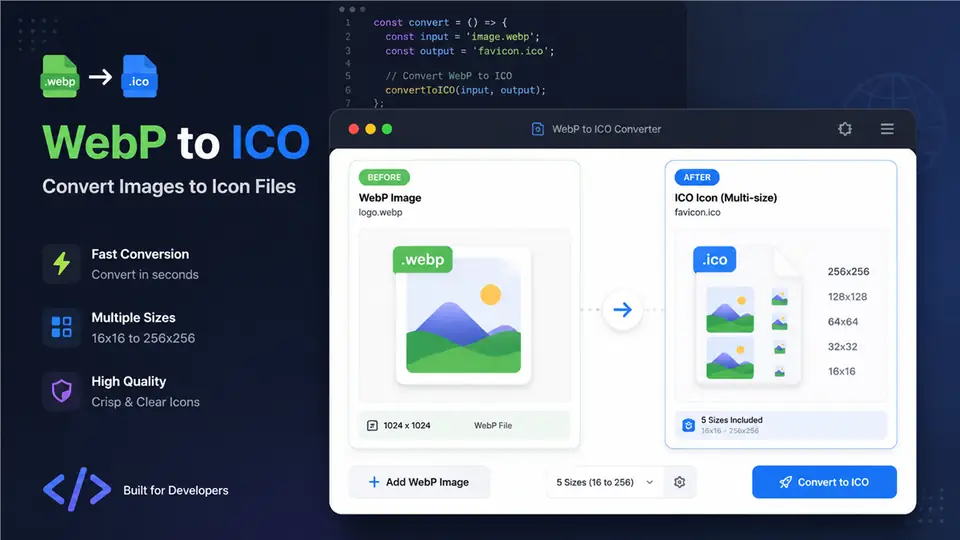
Use modern WebP images as the source for ICO icons.
Generate common favicon and application icon sizes from one WebP.
Convert WebP to ICO locally without sending files to a server.
Crop or adjust the WebP before creating the final ICO output.
Convert WebP to ICO without registration.
WebP processing stays in your browser.
Crop and adjust the source before conversion.
Generate several ICO sizes from one WebP.
WebP to ICO conversion turns a modern WebP image into an ICO icon file that can be used in favicon, Windows shortcut, and app icon workflows. WebP is efficient for web delivery, but ICO remains a practical format wherever browsers or operating systems expect icon containers. This page focuses only on WebP to ICO, so users with WebP source artwork can find a direct workflow without being redirected into a general image converter.
Use WebP to ICO when your image is already saved as WebP and you need an icon file for a site, internal dashboard, desktop shortcut, or application shell. WebP is often used for optimized web assets, product graphics, and exported design files. If the WebP includes transparency, it can be useful for cleaner icon edges. If it is a photographic or busy image, consider cropping and simplifying the subject before converting to small favicon sizes.
The converter loads the WebP in your browser, displays a preview, lets you choose icon sizes, and draws the image into square canvases before packaging the output as ICO files. Common sizes such as 16x16, 32x32, 48x48, 128x128, and 256x256 are useful for favicons and application icons. The conversion runs locally, which means the WebP file stays inside your browser session rather than being uploaded to a server.
For a clear WebP to ICO result, start with a square image, keep the subject centered, and avoid thin text or complex details. Test the icon at 16x16 and 32x32 before publishing because small sizes reveal whether the image is recognizable. Use transparent WebP sources when you need icons that sit cleanly on different backgrounds. After downloading, use smaller ICO files for favicons and larger files for desktop shortcuts or app shells.
Your WebP file is processed locally in the browser and is not uploaded to a server.
Recommended favicon sizes: 16x16, 32x32, and 48x48 pixels
Your WebP-based ICO files have been generated
Some modern browsers support WebP icons, but favicon.ico and PNG sizes remain safer for broad browser, Windows, and platform compatibility.
Transparent WebP images can preserve transparency in generated PNG and ICO outputs when the browser decodes the source alpha channel correctly.
ICO is not an animation format. Animated WebP sources are handled as a static icon, typically using the first available frame.
Convert WebP to ICO when you have a modern web graphic but need a traditional favicon.ico file for browsers, Windows shortcuts, or legacy workflows.
Use a square WebP logo or graphic with strong contrast, centered subject, and limited fine detail so it remains recognizable at 16×16.
The WebP conversion runs in your browser, keeping your source image local.
WebP to ICO makes favicon handoff fast. The size options are clear and I do not need a desktop editor for small updates.
Alex Chen / Product DesignerBatch ICO generation saves time, and the exported files are easy to drop into a project for testing.
Mia Parker / Frontend DeveloperThe interface is straightforward and the conversion output is consistent for side projects and SaaS icons.
Noah Lee / Indie MakerI can turn brand artwork into launch-ready favicon files directly in the browser.
Sophia Green / Brand ManagerThe preview and download flow is smooth, and transparent icon edges stay clean.
Emma Wilson / UI DesignerI can refresh a site icon in minutes without installing extra software.
Daniel Kim / Website AdminThe multi-size output works well for browser favicons and Windows shortcuts.
Olivia Brown / Full-stack EngineerThe workflow is simple enough for non-technical teammates to create ICO assets themselves.
Lucas Miller / Startup Founder